The Shrinking World of Work
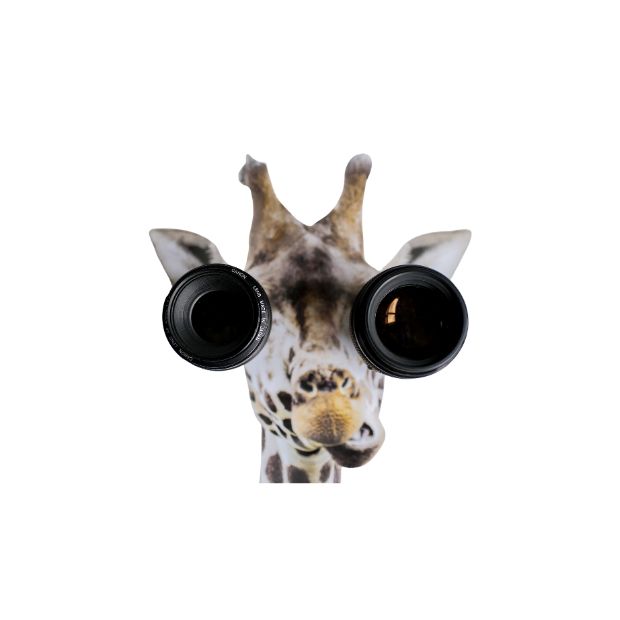
Our world has shrunk. Before the shift to remote and hybrid work models, daily life meant moving around, driving, using public transport, being in traffic… whatever your mode of commute is. At the office or workplace, there was constant navigation between different spaces. You moved from your desk to a meeting room, cafeteria, bathroom, someone else’s desk, another meeting room, kitchen, printer, etc. The reality is that there was constant visual- (seeing) and auditory (hearing) variety while your body was physically (moving) between these spaces, regardless of your type of work or your working environment. The current reality looks quite different: your working world is now about the size of your computer screen and its immediate surrounding space… and it is pretty small. Your eyes are in another kind of lockdown on your screen, particularly when you are in digital meetings. And your ears are trying to contest with the distractions of your screaming toddler, a hungry teenager (in my case), a barking dog, an irritable spouse, etc. This is happening while you are seated for much longer times than usual and your body is just not moving as much as it used to.
The Toll on Body and Mind
The obvious result is a higher level of fatigue, headaches, joint strains and other physical body complaints. Not to even mention the stress, irritation, mental pressure and anxiety coupled with it. Our bodies are taking physical strain and our minds are taking mental strain. That is an unfortunate fact.
Making Your Digital World Less Stressful
As sensory beings, we interact through our 7 senses in a dynamic way with our world. This constant navigation helps us to obtain a modulated response in how we focus, behave and emotionally respond. We need the ebb and flow of daily living through varied sensory stimulation to be our best. With this in mind, we are using our specialist knowledge of neuroscience and sensory processing to add some practical insights into how you can make your digital world less stressful… and continue being your best:
1. Lower Your Expectations
Lower your expectations and don’t try to be the best at everything. We are all trying to juggle homeworking, managing our kids in a whole new way, homeschooling (and we are parents, not teachers), living in restricted and limited environments while trying to keep ourselves and our families together in one piece. We are experiencing an influx of information and technology overload.
2. Listen To Your Body
Listen to your body and be mindful of the signals it is sending you. Are you feeling dizzy, lethargic, or tired? Do you have a headache? Are you feeling anxious? Your body will provide you with signals to show you if something is wrong. Make a note, write down how you are feeling, the time of day and what you were busy doing before it happened. It helps to be more in tune with what is going on, reading your own signals and making the necessary adjustments before it turns bad.
3. Maximizing Auditory Processing
- For meetings, use a headset or earphones, particularly when you don’t have a quiet, designated workspace. It will reduce distractions for you as well as your online colleagues or audience. Sounds get amplified in online meetings and you might be conveying a different message than what you intended.
- Test your microphone and sound prior to meetings. Set a volume that is comfortable for you. Navigate between sound muted or unmuted where necessary. Mute your microphone particularly when there is an increase in background noise and if you are sneezing, coughing or drinking water. And obviously don’t eat anything when on a call. Not even gum… it looks and sounds dreadful.
- Disable any sound notifications to reduce noise levels. It is extremely irritating to hear another person’s constant ping. And although intended to be background noise, the sound will be amplified for the others on the call. It will help everyone to be more focused and less distracted. Have designated times when you check your email and messages to avoid constant interference while on calls or working on a task.
- You can also revert to using the chat box instead of speaking when your microphone isn’t working when there are too many distractions or if you just don’t trust your voice at any given time. It does interfere with the level of human interaction but will reduce auditory overload.
4. Maximizing Visual Processing
- Check your positioning in the room for maximum use of light. Be mindful that the light should not be from behind as it will be difficult for others to see you clearly. It is ideal to have incoming light from your front, i.e. sit in front of an open window. An alternative is to have a side lamp on your desk shining on your face. Light will help you work better but also make you more visible and easier to see for your colleagues and thus improve human interaction.
- Make sure your desktop and screen(s) are cleaned up and tidy. Clean your screen, reduce your icons and/or group them. Work with as little on-screen clutter as possible. Limit the number of tabs you have open. Set bookmarks for quick and easy access to your most-used apps or websites.
- Set your screen brightness and type of background to your liking. An image that provides joy and calmness is ideal. Some people prefer to have a single colour as a desktop background.
- Having meetings without video is very impersonal and reduces human interaction. If WiFi connectivity is an issue then videos are disabled but it is always a pity and preferable to have it enabled. We have to work much harder to be “human” through our digital channels to make it as real as possible help. That includes showing off your face and your voice. So make sure you are dressed and groomed properly. No pyjamas, no bed head, no beach clothing…
5. Maximizing Movement and Self-Regulation
- Movement breaks will be your number one priority to save your energy and lower your fatigue. The brain is designed to tap into movement brain breaks in order to function and focus optimally. A water bottle next to you helps to hydrate you and then increases the need for bathroom breaks. The best and most effective self-regulation tool!
- Having movement breaks between meetings is non-negotiable. If you go from meeting to meeting you are going to start talking rubbish as your brain will dip into fatigue. Even a quick leg stretch (2-5 minutes) can help. You can always negotiate with your meeting members to all have a quick stretch in longer meetings and return at a designated time.
- Don’t have a movement break while you are on a call and move around excessively. You will make the other people seasick, particularly if they are visually sensitive and in sensory overload. You can shift your body or move your position but don’t walk around with your phone or laptop while talking. If you do need to display anything to your group, make sure to keep your phone or laptop as steady as possible.
6. Scheduling and Time Management
Scheduling and time management for online working will depend on the amount of control you have over your schedule. Where possible keep 1-1 online meetings to a maximum of 30 minutes, group meetings to a maximum of 60 minutes and webinars or training to a maximum of 90 minutes. When the group is bigger, there will be less focus on one particular individual which makes it easier to go for longer periods of time. If you can negotiate schedules with your work colleagues, family and children that is ideal. Sticking to a routine for homeschooling your children will not only make their lives but also yours much easier. Kids need and love routine. Therefore try and create a clear routine at home during the lockdown. And write it down or draw simple pictures so it makes it easier for them to follow.
7. Sensory Styles
Sensory styles are a great way to help us understand our environments and navigate best. We are all unique and different. We process the world differently. What works for some won’t work for others. Sensory sensitivity and avoiding behaviours occur for 25% of the population: this group will most likely get overloaded faster by their digital environment. They will take more care and effort to reduce overload. Sensory-seeking behaviours occur for 36% of the population: they take longer to get overloaded. However, they usually realize it too late and they are more likely to crash “unexpectedly”. For 39% of the population, the environment has a neutral impact: they can navigate fairly easily and are flexible within their work- and online environments. This is the beauty of human genes and makeup. Completing your Sensory Matrix™ will help you to be more in tune with your needs and make your accommodations personalized.
“The only way to make sense out of change is to plunge into it, move with it, and join the dance.” – Alan Watts